Can AI Manage Team Projects Using Slack and Meeting Transcripts?
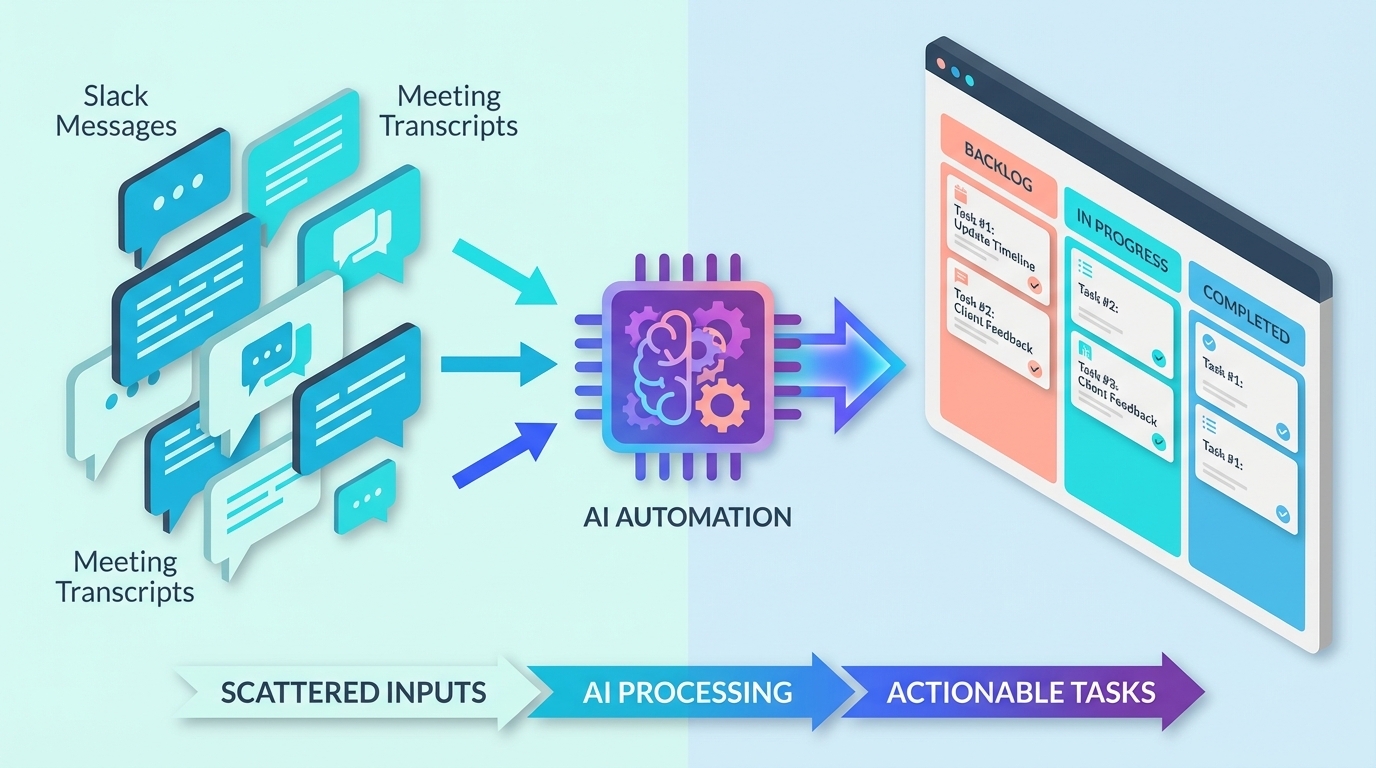
AI can keep a team project's record current from Slack and meeting transcripts, which is a large part of what people mean when they ask whether it can manage the project. It reads the flagged messages and the call transcript, pulls out who agreed to do what by when, files each item against the right project, and marks the project as active. What it shouldn't do is make the calls: who gets reassigned, what to tell the client, whether to slip the date. Those stay with a person. The AI's job is to make sure that person is looking at a record that's true.
TL;DR
- Flagged Slack messages and call transcripts become tasks with owners and dates, automatically.
- Capture only what's flagged, not every message, or the record fills with noise.
- The weekly client update writes itself from the record. Someone still reads it before it goes.
Where do project updates actually get lost?
In two places. In chat, where a decision made at 4:47pm on a Thursday sits in a thread nobody re-reads, and in meetings, where "I'll send that over Monday" is said out loud and never written down. The project tracker, if there is one, gets updated when someone remembers, which means it's a few days behind the real state of the job most of the time.
The fix isn't a better tracker. It's connecting the two places where the information already is to the one place it should end up, with a model doing the reading.
How do you capture updates from Slack?
Three steps, and the first one is the one people get wrong.
- Capture only flagged messages. Trigger on a bookmark, a specific emoji reaction, or posts in designated client channels, or on phrases like "action item" and "next step." Don't feed every message to the model. A team channel has far more chatter than decisions, and a system that files chatter trains everyone to ignore it.
- Read for intent. The model gets the message and the thread it sits in, plus the list of current project names, and returns: is this a task, a decision, or a fact; which project; who owns it; any date mentioned. If a message is "Dana's handling the permit resubmittal, should be in by the 20th," you want a task for Dana, due the 20th, on the Hillcrest project, not a summary of the conversation.
- Write it to the record. Create the task, or update an existing one if the same item already exists (the permit task from last week gets a new date, not a twin). Stamp the project's last-active date.
Flagging is a habit the team has to learn, and it's a light one: one emoji on the message that matters. In practice it's less work than the status meeting it replaces.
How do you capture updates from Zoom or Teams?
- Pull the transcript when the meeting ends. Zoom's audio transcription for cloud recordings produces one on paid plans once it's switched on, and Teams does the same; the automation triggers when the file appears.
- Extract commitments, not minutes. Ask the model for every action item with an owner and a date, every decision, and every open question, each as its own row. Tell it to ignore filler and not to invent owners when nobody was named; "unassigned" is a legitimate answer and a useful flag.
- Refresh the project. New tasks get created, existing ones updated, the project's last-active date bumped. If the meeting changed a deadline, the task's date changes, with the transcript as the source so anyone can check what was said.
Keep the extraction strict about attribution. A transcript labels speakers imperfectly, and "I'll do it" from the wrong speaker becomes a task on the wrong person. Have the model quote the line it took each item from, so a quick scan catches those.
How do you turn the record into a client update?
Once tasks, decisions, and dates are flowing in from both sources, the weekly client update is a query, not a writing job. On Friday, pull everything on the client's projects that changed in the last seven days (tasks completed, decisions made, dates moved, questions still open) and have the model draft a short note in your usual format. Someone reads it, fixes anything that's wrong or shouldn't be said, and sends it.
That last step isn't optional. The update goes to a customer with your name on it, and the record it's drawn from is only as complete as the flagging and the transcripts. The review takes a few minutes. Writing it from memory took longer and still missed things.
What goes wrong?
Three things. Over-capture: someone sets the trigger to "all messages in the channel" and the project fills with tasks nobody asked for. Fix the trigger. Mis-attribution from transcripts, covered above; the quote-the-line rule catches it. And stale confidence: if a project's last-active date stops moving, the system should say so in the Monday summary instead of letting the record look current. A project with no new items for two weeks is either done or in trouble, and the AI can't tell which. A person asks.
For how the capture, triage, and morning summary fit together as one system, see how to build an AI executive assistant that organizes your projects without constant prompting. AI Marketing Labs builds this kind of pipeline as Custom AI Automations, on your own Slack, meeting tools, and database, and yours outright the day it's handed off.
Frequently asked questions
Do we have to tell clients their calls are being transcribed?
Yes. Say it at the start of the call, and check the recording-consent rules for your state, since some require everyone on the call to agree. Keep transcripts in your own storage, not a vendor's training set.
What if the team uses text messages more than Slack?
Then the capture misses them. Move project talk into a shared channel the system can read, even if it's a group chat tool rather than Slack; the method is the same as long as there's a trigger the automation can watch.
Can this replace our project management software?
It can feed it. Keep the tool your team already looks at and have the automation write tasks there, so nobody has to learn a new screen. The AI is doing the data entry, not replacing the board.
Start with a free AI Audit
45 minutes with Rick on where your project information actually gets lost, then a one-page write-up in about 48 hours with the fix worth doing first and what it would cost.

With over 15 years of marketing experience, Kelly is an AI Marketing Strategist and Fractional CMO focused on results. She is renowned for building data-driven marketing systems that simplify workloads and drive growth. Her award-winning expertise in marketing automation once generated $2.1 million in additional revenue for a client in under a year. Kelly writes to help businesses work smarter and build for a sustainable future.